How to Get Night Vision in Minecraft: Every Method Explained
You can get night vision in Minecraft by brewing and drinking a Night Vision Potion, applying the night vision effect with commands, or equipping items with night vision in certain mods. Each method provides clear visibility in dark areas, making it easier to explore caves, oceans, or simply survive the night.
Night vision improves your experience by illuminating everything as if it were daytime, helping you spot resources, avoid hostile mobs, or navigate under the sea. Especially in survival or when exploring deep mineshafts, having night vision can be a real game-changer.
This article covers every way to gain night vision in Minecraft, including potion brewing recipes, using commands, modded options, and important tips. Whether you play Java or Bedrock Edition, you'll discover the best method for your playstyle and needs.
Brewing a Minecraft Night Vision Potion
Gather Ingredients for Night Vision
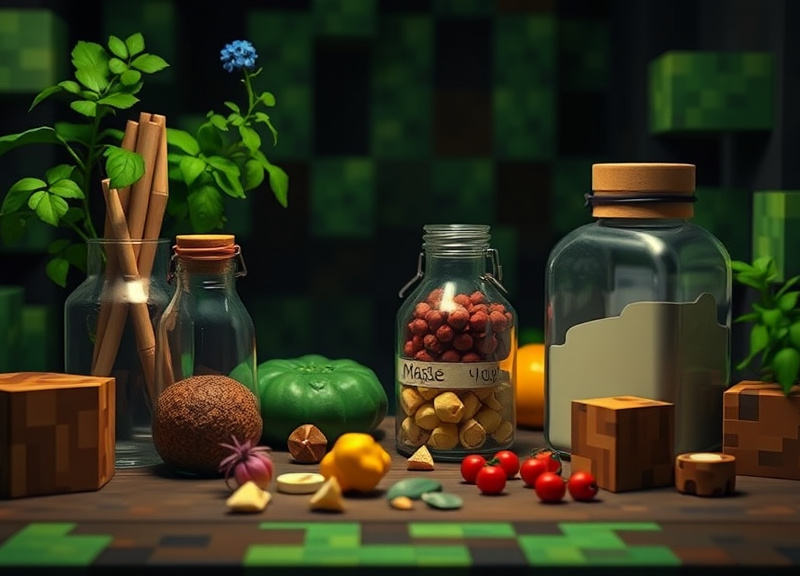
To brew a Minecraft night vision potion, you'll first need to gather water bottles, blaze powder, nether wart, and a golden carrot. Water bottles are made by filling glass bottles at a water source. Blaze powder comes from blaze rods, found in Nether fortresses.
The golden carrot is crafted by surrounding a carrot with eight gold nuggets in a crafting table. Nether wart grows in Nether fortresses. These are the essential components for creating the base potion and then infusing it with night vision.
• Glass bottles filled with water
• Blaze powder as fuel
• Nether wart (creates Awkward Potion)
• Golden carrot (adds night vision effect)
- Glass bottles filled with water
- Blaze powder as fuel
- Nether wart (creates Awkward Potion)
- Golden carrot (adds night vision effect)
Brewing and Using the Potion

Start by fueling your brewing stand with blaze powder. Place the water bottles in the stand’s slots, add nether wart to brew an Awkward Potion, then finally insert a golden carrot. This process will turn the Awkward Potion into a Potion of Night Vision.
Once brewed, drink the potion to activate the night vision effect for 3 minutes. You can extend this effect to 8 minutes by adding redstone dust to the potion during brewing. Splash and lingering versions are possible by adding gunpowder or dragon’s breath.
Using Commands for Instant Night Vision
Applying Night Vision via Commands
To instantly gain night vision, enter the command /effect give minecraft:night_vision . For example, /effect give Steve minecraft:night_vision 600 1 grants ten minutes of enhanced vision. This works in both creative and survival modes if you have cheats enabled.
You can use the command for yourself or any player on the server. Adjust the duration as needed for your activity, whether it’s brief mining or long cave exploration. This method doesn’t require brewing, resources, or prior setup.
• Use /effect give and specify player, effect, and duration
• Works in worlds with cheats enabled
- Use /effect give and specify player, effect, and duration
- Works in worlds with cheats enabled
Removing the Night Vision Effect
If you want to remove the Minecraft night vision potion effect before it expires, enter /effect clear minecraft:night_vision. This will instantly revert vision to normal. Removing effects can help test lighting or reset for specific challenges.
Clearing effects is especially helpful when creating adventure maps or when transitioning between creative builds and normal survival play. Be sure to save your game before removing effects if you’re deep underground.
Exploring Night Vision with Mods and Resource Packs
Night Vision Items and Mods
Several popular mods add wearable night vision equipment, like Night Vision Goggles or helmets. Mods such as OptiFine, Thermal Foundation, or Tinkers’ Construct introduce items that give the night vision effect while equipped, often with configurable duration or toggles.
These mods are available for both Forge and Fabric modloaders, and work in most Minecraft versions. Always check compatibility before installation. Installing mods can open new options for players who want persistent, toggleable night vision.
- Night Vision Goggles (modded gear)
- Helmets with night vision upgrades
- OptiFine dynamic brightness settings
For more on this, see our related guide: How to Give Yourself Night Vision in Minecraft: The Complete Guide.
Resource Packs and Custom Visuals
Some resource packs simulate a brighter nighttime look, though they don’t confer the actual night vision effect. They change textures, colors, or lighting to reduce darkness, but mobs can still spawn in dark areas.
Purely visual packs can make survival easier for those who dislike total darkness but won’t help you detect hidden mobs or ores like a true night vision effect would. Combining resource packs with in-game potions is possible for a custom experience.
Night Vision in Minecraft Bedrock vs Java Editions
How Night Vision Differs Between Versions
Both Bedrock and Java Editions include night vision, but the effect’s intensity and visuals can differ. In Java, night vision gives a bluish, full-bright effect, while in Bedrock the world may appear slightly washed out or lighter gray.
Potion recipes, command syntax, and duration are nearly the same. However, Bedrock may have slight differences in how the effect stacks with mob visibility, underwater clarity, or how the effect looks through resource packs.
Compatibility and Limitations
Bedrock users on mobile, Xbox, and Windows have access to all core night vision methods, just like PC. Some commands and third-party modifications may work differently, so always refer to the specific edition’s documentation.
If you use Realms or multiplayer servers, check if night vision cheats or mods are allowed. Some servers disable these for balance.
- Check server rules before using commands or mods
- Resource packs and add-ons may require special installation
Practical Uses for Night Vision in Minecraft
Exploring Caves and Structures
Night vision is essential for safely exploring caves, mineshafts, and underwater structures. With the effect active, you can spot valuable resources—including diamond and ancient debris—more easily, while avoiding pitfalls and lava.
While Minecraft night vision potion is the most reliable tool, using commands or mods allows for long sessions without rebrewing. This lets resource gatherers and adventurers maximize time underground or underwater.
• Locate ores without torches
• Explore ocean monuments safely
- Locate ores without torches
- Explore ocean monuments safely
Building and Creative Projects
Creative builders use night vision to ensure their projects—especially large scale structures—look appealing in all lighting conditions. It helps with placing glowstone, sea lanterns, or redstone lamps efficiently.
Using Minecraft night vision potion while working in creative mode speeds up construction and eliminates the need for mass torch placement until the build is complete.
- Test lighting setups
- Build underwater bases
- Ensure spawn-proofing
Tips for Maximizing Night Vision Effectiveness
Extending Potion Durations
Extend your night vision by adding redstone to your potion for a full 8-minute duration. Craft extra potions ahead of time if you’re going on long expeditions. Using a shulker box or ender chest for potion storage keeps your kit organized.
Remember that all potion types—regular, splash, and lingering—can be upgraded in duration with redstone. Carry more for extended mining or multiplayer adventures.
- Add redstone for 8-minute potions
- Store spares in shulker boxes
For more details on potion brewing, you can read about the Minecraft Potion of Night Vision on this extensive community wiki. Minecraft Potion of Night Vision.
Combining Night Vision with Other Effects
Pair night vision with water breathing when diving in oceans, or with fire resistance when mining near lava. This ensures safety and lets you tackle difficult terrains with confidence.
Some advanced players even combine mods for permanent effects or use command blocks to toggle night vision with a button press.
- Water breathing for ocean exploration
- Fire resistance for nether expeditions
- Speed for fast cave exploration
Night Vision Methods Comparison in Minecraft
Here’s a comparison of all major night vision methods in Minecraft, covering ease of use, duration, and multiplayer compatibility.
| Method | Requires Brewing | Custom Duration | Multiplayer Friendly | Available in Mods |
|---|---|---|---|---|
| Night Vision Potion | Yes | No (upgrade to 8 min) | Yes | No |
| Command Effect | No | Yes (any) | Yes (with permission) | No |
| Modded Items | No | Varies | Yes (if allowed) | Yes |
| Resource Packs | No | N/A | Yes | No |
| Beacons/World Effects | No | Yes (limited) | Sometimes | Yes (modded) |
Frequently Asked Questions
Can you get night vision without potions in Minecraft?
Yes, you can use commands such as /effect give or wear certain modded items to gain night vision without brewing potions. Resource packs can often simulate brighter environments but don’t provide a true night vision effect.
How do you make a night vision potion in Minecraft?
Combine an Awkward Potion (brewed from water bottles and nether wart) with a golden carrot in a brewing stand. This creates a Potion of Night Vision, lasting 3 minutes. Add redstone during brewing to extend it to 8 minutes.
Does night vision affect mob spawning?
No, night vision does not change how mobs spawn. It only alters your visual brightness. Mobs will still spawn in dark areas even if you see clearly thanks to night vision.
Is night vision available in Minecraft Bedrock Edition?
Yes, all major night vision effects—including potions and commands—are available in Bedrock Edition on mobile, consoles, and Windows. Syntax and visuals may differ slightly from Java Edition.
Can night vision be permanent in Minecraft?
Vanilla Minecraft does not support permanent night vision. However, with commands, custom mods, or plugin servers, you can create effects that behave like permanent night vision for as long as you wish.
Key Takeaways
- Night vision is most commonly obtained via potions or commands.
- Mods offer wearable night vision gear for advanced players.
- Potion duration can be extended with redstone for longer effects.
- Night vision is useful for caving, building, and exploring underwater.
Conclusion
Mastering how to get night vision in Minecraft enhances both survival and creative play. Whether you prefer brewing your own potions, using in-game commands, or modding your world for night vision gear, each approach has unique benefits. Understanding the mechanics and methods ensures you’ll never be left stumbling in the dark—no matter where your adventures take you.
For resourceful explorers, brewing the night vision potion is the most accessible and reliable way to light up the underground and uncover hidden treasures. Builders and server operators may value command or mod-based options, which can provide longer, even permanent effects—especially useful for large-scale projects or server events. Choose the method that fits your gameplay vision, whether it’s classic potion-making or modded enhancements.
Take some time to experiment with different ways to get night vision in Minecraft. Always plan your adventures by preparing potions, exploring command options, or installing trusted mods. Soon, navigating the world’s darkest corners will feel as easy as walking through a sunlit field, and your Minecraft creations and expeditions can truly shine.




One Comment