Top 10 Best Tools for MongoDB You Can’t Miss Today
Dealing with slow queries or inconsistent data can be a constant headache when managing MongoDB databases, especially if the tools used are not up to par. The best tools for mongodb help smooth out these issues by offering reliable performance and better data handling capabilities. Poorly chosen tools often lack essential features, causing frustration and wasted time during database operations.
The key qualities that separate the best tools for mongodb include the ability to handle large datasets without lag, compatibility with the latest MongoDB versions, and user-friendly interfaces for querying and managing data. Performance-wise, tools should support efficient indexing and aggregation operations to speed up data retrieval, often measured by their query response times and resource usage.
Ease of installation and clear documentation make setup straightforward, cutting down on maintenance hassles.
Need a Quick Check?
| Image | Product | Price |
|---|---|---|
Our Top Picks 1  | MongoDB Performance Tuning | Check Price |
Our Top Picks 2  | MongoDB 8.0 Guide | Check Price |
Our Top Picks 3  | Data-Intensive Applications | Check Price |
Our Selected Top 10 Tools for Mongodb Worth Your Money
This selection includes a variety of tools that improve MongoDB management, performance, and development. Each review highlights key features, user suitability, strengths, and limitations to help you make an informed decision based on your specific needs and technical requirements.
1. MongoDB Performance Tuning and Architecture
Perfect for developers looking to optimize MongoDB performance, MongoDB Performance Tuning and Architecture focuses mainly on improving query speed and resource management. It suits professionals aiming to understand MongoDB’s inner workings and fine-tune their setups for better efficiency.
Setup involves diving into architectural best practices and understanding common bottlenecks. Daily use revolves around applying tuning techniques to indexes, queries, and hardware configurations. The material helps you approach common performance challenges with clear guidelines, letting you maintain smooth and responsive MongoDB instances without guessing.
Performance-wise, the guidance helps make databases run leaner and faster. The architectural advice is solid and based on practical experience, making it easier to fix issues quickly. Some find the details technical and dense at times, which can slow down reading or implementation for those not already comfortable with MongoDB internals.
The strongest praise centers on its detailed, practical advice for improving MongoDB speed and resource use. The most common complaint involves its dense and technical style, which can make it tough for anyone without solid MongoDB experience to stay engaged.
Developers and DBAs wanting to deepen their understanding and optimize databases will appreciate this. Beginners or casual users should consider introductory material before tackling this advanced tuning and architecture guide.
Pros
- Covers practical tuning techniques in detail
- Explains MongoDB architecture clearly
- Helps improve query and resource efficiency
- Written for experienced MongoDB users
Cons
- Dense technical content may overwhelm beginners
- Limited guidance for basic MongoDB setups
| Specification | Details |
|---|---|
| Focus Area | Performance tuning and architecture |
| Target Audience | MongoDB developers and DBAs |
| Content Type | Technical guidance |
| Complexity Level | Advanced |
2. MongoDB 8.0 Complete Guide
People diving into MongoDB, especially beginners and intermediate users, will find MongoDB 8.0 Complete Guide useful. It’s best for those who want a solid, comprehensive resource to understand features and workflows.
Its big strength lies in clear explanations that make complex concepts manageable.
Setting up with the guide is straightforward since it walks through installation and basic commands step-by-step. Day-to-day use feels practical because it covers common scenarios like data modeling, querying, and index optimization. You can quickly refer back to chapters when you hit specific issues or want to deepen your understanding.
Performance-wise, the guide does a good job of breaking down MongoDB’s core capabilities like scalability and data flexibility, making it easier to apply in real projects. The build quality as a resource is solid, with well-organized content and examples.
Most praise highlights its clarity and thoroughness, while the main complaint points to some sections lacking in-depth detail for advanced users.
Clear and thorough explanations help readers quickly grasp MongoDB essentials, but some parts do not dive deeply enough for experienced developers seeking advanced knowledge. This creates a balance between accessibility and depth.
Anyone starting out or with moderate experience will benefit from the guide’s structure and clarity. Experts looking for more specialized or technical details may want to explore additional resources beyond this guide.
Pros
- Clear explanations for complex MongoDB concepts
- Step-by-step installation guidance
- Covers essential features like data modeling and indexing
- Well-organized with practical examples
Cons
- Lacks deep detail for advanced users
- Some sections feel too basic
| Specification | Details |
|---|---|
| MongoDB Version Covered | 8.0 |
| Type | Complete Guide |
| Focus Areas | Installation, Data Modeling, Querying, Indexing |
| Target Audience | Beginners & Intermediate Users |
3. Designing Data-Intensive Applications
Known for breaking down complex data systems into clear concepts, Designing Data-Intensive Applications suits anyone working deeply with MongoDB or other data stores. Its biggest strength lies in explaining the principles behind data processing and storage, helping you understand what’s happening under the hood.
Reading through the book involves digesting dense yet well-organized chapters that cover key topics like replication, partitioning, and consistency models. It’s less about quick setup and more about building a mental framework to approach data systems design thoughtfully.
Using the book daily means referencing its clear examples and diagrams to solve real-world issues or plan architecture.
The book excels at explaining complicated ideas clearly and thoroughly, illustrated with real-world examples. It’s built on solid academic and practical experience, making it reliable.
Praise often highlights its detailed coverage of data consistency challenges. A common complaint is that its technical depth can feel overwhelming if you’re not already somewhat familiar with software engineering.
Readers appreciate the detailed coverage of data consistency and how it clarifies tricky concepts. At the same time, the depth and length challenge those without a strong background in software or system design, making it a slow read for many.
People building or maintaining data-intensive applications who want to understand system internals will find it invaluable. Casual users or beginners in database technologies might benefit more from lighter introductions before tackling this book.
Pros
- Clear explanation of complex data concepts
- Includes real-world examples for context
- Covers broad range of data systems topics
- Useful for designing scalable architectures
Cons
- Heavy technical content may be dense
- Lengthy, not suited for quick reference
| Specification | Details |
|---|---|
| Author | Martin Kleppmann |
| Format | Print and digital |
| Pages | ~600 |
| Topics covered | Replication, partitioning, consistency, batch and stream processing |
| Audience | Software engineers, architects, database professionals |
4. Full Stack Development with React, Node.js, and MongoDB

Full Stack Development with React, Node.js, and MongoDB is a comprehensive guide for developers wanting to master creating web applications using these popular technologies.
It suits anyone aiming to build full-stack projects with a focus on real-world, practical skills. Its biggest strength lies in walking you through combining front-end and back-end development in one cohesive path.
Day-to-day, this resource helps you understand setting up your development environment, connecting React interfaces with Node.js servers, and managing data using MongoDB. The guide breaks down complex topics into manageable steps, covering API creation, database interactions, and deploying your app.
It fits well in both self-paced learning and project-based practice, making each session productive.
Performance-wise, it thoroughly covers the essentials needed to build scalable web applications. The build quality of the learning material is solid, with clear explanations and examples reflecting common development patterns. A frequent compliment is how practical and straightforward the projects feel, while a typical criticism points to some topics needing a bit more detail for complete clarity.
The guide receives praise for providing clear, hands-on projects that make complex full-stack concepts accessible. Common remarks note that certain advanced topics could use more explanation, which might slow learners needing more detail. Everyday use involves coding alongside the instructions, making progress tangible and structured.
Anyone wanting a practical path to build full-stack apps with React and MongoDB will find this useful. Those seeking deep dives into advanced Node.js features or very detailed theory might prefer more specialized resources tailored to those areas.
Pros
- Covers both front-end and back-end development
- Project-based with practical examples
- Covers MongoDB integration clearly
- Good for self-paced learning
Cons
- Some advanced concepts lack depth
- Occasionally assumes prior Node.js knowledge
| Specification | Details |
|---|---|
| Technologies Covered | React, Node.js, MongoDB |
| Focus Area | Full Stack Web Development |
| Application Type | Web Applications |
| Approach | Project-Based Learning |
5. MongoDB Data Modeling and Schema Design

Working with MongoDB can get confusing without a clear plan, and this guide makes modeling data and designing schemas straightforward. It’s great for developers and database architects who want to structure their MongoDB projects well from the start.
Its biggest strength lies in clarifying the complexities around data design.
Setting up involves following structured advice on schema design that fits MongoDB’s document model. Day-to-day use means referencing practical examples of how to organize collections and embed or reference documents. This helps avoid common pitfalls like data duplication or inefficient queries.
The guide lays out concepts in a way that’s easy to apply, which is helpful when you’re deep into database development.
It performs well as a detailed manual, guiding you through best practices that suit MongoDB’s flexible schema. Built like a thorough tutorial, it covers key modeling patterns and trade-offs clearly. The strongest benefit is how it simplifies complicated database design logic.
Some find the depth challenging on first read, as it assumes a bit of prior MongoDB knowledge.
The guide is praised for simplifying complex schema design, making sense of MongoDB’s flexible model in a practical way. However, it can be a bit overwhelming for those new to the database, as it dives deep into modeling concepts that assume some experience.
Anyone working regularly with MongoDB who wants clear direction on organizing data will find it very helpful. Those new to databases or looking for a gentle introduction might want to consider more basic resources first before tackling this guide.
Pros
- Clarifies complex MongoDB data structures
- Detailed examples for schema design
- Practical guidance for scalable models
- Clear explanation of common trade-offs
Cons
- Requires some prior MongoDB knowledge
- Can be dense for beginners
| Specification | Details |
|---|---|
| Version | 3.0 |
| Focus | Data modeling and schema design for MongoDB |
| Target Audience | Developers & database architects |
| Format | Technical guide/manual |
| Content Type | Best practices, design patterns, examples |
6. Modern Full-Stack React Projects with MongoDB
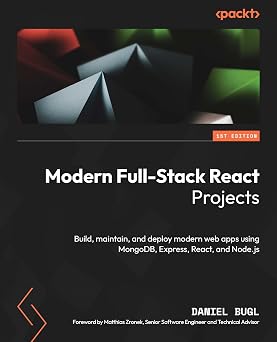
A practical guide for developers keen on integrating MongoDB with React, tailored for those looking to build full-stack projects efficiently. Its biggest strength lies in clear project-based learning, letting you focus on real-world application rather than isolated concepts.
Getting started involves working directly with React and MongoDB together through hands-on projects, which helps solidify understanding quickly. Daily coding revolves around building functional apps, with code examples that mirror actual development scenarios. The step-by-step nature makes it easier to follow along and implement features that matter for full-stack development, such as CRUD operations and data handling.
Performance hinges on the clarity and practicality of examples rather than raw technical specs. The book’s build, consisting of multiple full-stack projects, is designed to help you build skills incrementally. Most users appreciate straightforward instructions and relevant project focus.
On the downside, some find the pace a bit fast, especially if starting from zero with React or MongoDB individually.
The strongest praise highlights practical and clear examples that help grasp full-stack development, while the most frequent complaint notes the fast pace that can overwhelm beginners without prior exposure. It emphasizes hands-on projects that align well with real coding needs.
Developers with some React and MongoDB experience will find this resource very useful. Those completely new to either technology might prefer a more introductory guide before diving into project-based learning.
Pros
- Clear, project-focused teaching style
- Practical examples for everyday development
- Good integration of React and MongoDB concepts
Cons
- Pace may challenge beginners
- Lacks detailed beginner tutorials for each tech
| Specification | Details |
|---|---|
| Focus | Full-Stack React Projects with MongoDB |
| Approach | Project-based learning |
| Skill Level | Intermediate developers |
| Content Type | Hands-on coding exercises |
| Main Technologies | React, MongoDB |
7. NoSQL with MongoDB in 24 Hours

Designed as a focused time-saving guide, NoSQL with MongoDB in 24 Hours suits those who want to grasp MongoDB basics quickly. Its single biggest strength is offering a structured learning path that fits into a tight schedule without overwhelming technical jargon.
Setup involves following clear, step-by-step instructions on MongoDB installation and use, ideal for beginners. Daily use revolves around practical examples and exercises that illustrate key MongoDB operations, making it straightforward to understand fundamental aspects and apply them right away in projects.
Performance centers on clear explanations of NoSQL concepts and MongoDB commands, helping learners build confidence fast. The material is well-organized with progressive lessons to guide understanding. Strong praise highlights how digestible the content is, while a common complaint points to limited depth for advanced users seeking detailed technical insights.
Clarity and simplicity help learners understand MongoDB quickly, while the main downside is the book’s limited detail for deeper technical knowledge. The content is paced to accommodate beginners within a short timeframe.
People new to NoSQL databases or looking for a quick MongoDB intro will benefit most. Those needing comprehensive coverage or advanced MongoDB features should consider more detailed resources.
Pros
- Clear, structured learning path
- Practical hands-on examples
- Concise and beginner-friendly language
Cons
- Lacks depth for advanced topics
- May feel too basic for experienced users
| Specification | Details |
|---|---|
| Focus | MongoDB basics and NoSQL concepts |
| Learning Duration | 24 hours |
| Audience | Beginners to intermediate users |
| Format | Step-by-step instructional guide |
8. MongoDB Applied Design Patterns

MongoDB Applied Design Patterns focuses on practical database design strategies for MongoDB users. Ideal for developers and architects working with MongoDB, it shines in explaining complex MongoDB usage through clear, real-world patterns and solutions.
Understanding the concepts presented requires some familiarity with MongoDB. The book lays out common development scenarios and offers patterns that can be directly applied to your projects, making it easier to design scalable and maintainable databases.
Day-to-day, it acts as a reference guide to solve specific design challenges you encounter.
Performance depends on how effectively you apply the advised patterns rather than any software speed. The content is well-structured and detailed.
Praise highlights the clarity of examples and practical relevance, while complaints often mention that some patterns assume prior MongoDB experience or more in-depth explanations are needed for beginners.
Many users appreciate the straightforward examples that apply directly to everyday MongoDB challenges, making it easier to design effective schemas. Some find that the explanations can be dense without sufficient MongoDB background, which complicates learning for newcomers.
People comfortable with MongoDB and looking to sharpen their database design will find valuable insights here. Those brand new to MongoDB should start with more basic learning resources before tackling this book.
Pros
- Practical, real-world design examples
- Covers a wide range of MongoDB use cases
- Clear explanations of complex concepts
Cons
- Assumes prior MongoDB knowledge
- Not ideal for absolute beginners
| Specification | Details |
|---|---|
| Focus | MongoDB database design patterns |
| Target Audience | Developers and database architects |
| Content Style | Real-world usage examples and scenarios |
| Complexity Level | Intermediate to advanced |
9. Practical MongoDB Aggregations

Designed for developers seeking powerful aggregation capabilities, Practical MongoDB Aggregations is suited for those who want clear and practical guidance. Its standout feature is a hands-on approach that makes complex MongoDB queries understandable and manageable.
Setting it up involves following straightforward examples that focus on real-world applications. It guides you through building and optimizing aggregation pipelines, making daily database querying tasks simpler.
The book breaks down complex concepts into manageable parts, helping maintain productivity without getting bogged down in theory.
Performance-wise, the content thoroughly covers MongoDB’s aggregation framework, providing step-by-step explanations that many find very useful. The strongest praise notes how well it clarifies advanced queries. The most frequent complaint centers on a lack of deep dive into some edge cases, limiting its use for highly specialized needs.
Many find the step-by-step guidance helpful in understanding and building aggregation pipelines, which is the strongest praise. Complaints mostly revolve around the book not covering some less common or more advanced scenarios thoroughly.
Those working regularly with MongoDB aggregations who want practical, example-driven learning will appreciate this book. People new to MongoDB or those needing deep dives into rare cases might look for alternative resources.
Pros
- Clear, practical explanations for complex queries
- Focuses on real-world database aggregation tasks
- Good for intermediate MongoDB users
- Step-by-step examples
Cons
- Limited coverage of edge cases
- Not suited for beginners
| Specification | Details |
|---|---|
| Content Focus | MongoDB Aggregations |
| Approach | Practical examples and explanations |
| Target Audience | Developers and database professionals |
| Complexity Level | Intermediate to advanced |
| Use Case | Query optimization and data processing |
10. MongoDB Fundamentals and Atlas Guide

Working with MongoDB can feel overwhelming without a clear guide, especially for beginners eager to start with both the database and its cloud platform. MongoDB Fundamentals and Atlas Guide fits that need by breaking down core concepts while showing how to use MongoDB Atlas, making it great for developers still learning or those moving projects to the cloud.
Getting started involves following the structured lessons that guide you from basic database operations to deploying and managing data on Atlas. Day-to-day use revolves around understanding queries, collections, and indexes, while the Atlas part explains practical cloud settings and deployment options.
This hands-on approach means you’re not just reading theory but applying it in real scenarios.
Performance-wise, the guide covers both the foundational MongoDB server side and how Atlas handles database hosting, so you get a rounded view of the ecosystem. Built clearly with practical steps and code samples, it’s praised for how straightforward it is. The main drawback some mention is that it can be a bit dense for absolute novices without any coding background.
Clear instructions make learning MongoDB and Atlas approachable, though it demands some background in coding to get the most out of it. Readers find the practical examples especially helpful, but the pace and technical depth can feel intense at times.
Developers looking to grasp MongoDB and start using Atlas quickly will appreciate this guide. Those new to programming or seeking a lighter introduction may want to start with a more basic resource before using this one.
Pros
- Clear step-by-step instructions for beginners
- Covers both MongoDB and Atlas cloud setup
- Practical examples with real code
- Good mix of theory and practice
Cons
- Can be overwhelming for total coding newbies
- Some sections require prior basic understanding
| Specification | Details |
|---|---|
| Focus | MongoDB Basics and Atlas Cloud Platform |
| Target Audience | Beginners and Intermediate Users |
| Content Style | Step-by-Step Tutorials with Practical Examples |
| Platform Covered | MongoDB Server and Atlas Cloud |
| Format | Guidebook with Code Samples |
Comparison of Top MongoDB Tools Reviewed
| Product | Best For | Coverage | Skill Level | Format |
|---|---|---|---|---|
| MongoDB Performance Tuning | Performance tuning | Advanced users | Expert | Book |
| MongoDB 8.0 Guide | MongoDB 8.0 features | Developers | Intermediate | Guide |
| Data-Intensive Applications | Data-intensive apps | Architects | Advanced | Book |
| Full Stack React & MongoDB | Full stack dev | Beginners | Intermediate | Tutorial |
| MongoDB Data Modeling | Data modeling | Developers | Intermediate | Book |
| Modern React & MongoDB | React & MongoDB | Developers | Intermediate | Tutorial |
| MongoDB NoSQL in 24H | NoSQL basics | Beginners | Beginner | Book |
| MongoDB Design Patterns | Design patterns | Developers | Intermediate | Book |
| Practical MongoDB Aggregations | Aggregations | Developers | Intermediate | Book |
| MongoDB Fundamentals & Atlas | Fundamentals & Atlas | Beginners | Beginner | Guide |
- Best ForPerformance tuning
- CoverageAdvanced users
- Skill LevelExpert
- FormatBook
- Best ForMongoDB 8.0 features
- CoverageDevelopers
- Skill LevelIntermediate
- FormatGuide
- Best ForData-intensive apps
- CoverageArchitects
- Skill LevelAdvanced
- FormatBook
- Best ForFull stack dev
- CoverageBeginners
- Skill LevelIntermediate
- FormatTutorial
- Best ForData modeling
- CoverageDevelopers
- Skill LevelIntermediate
- FormatBook
- Best ForReact & MongoDB
- CoverageDevelopers
- Skill LevelIntermediate
- FormatTutorial
- Best ForNoSQL basics
- CoverageBeginners
- Skill LevelBeginner
- FormatBook
- Best ForDesign patterns
- CoverageDevelopers
- Skill LevelIntermediate
- FormatBook
- Best ForAggregations
- CoverageDevelopers
- Skill LevelIntermediate
- FormatBook
- Best ForFundamentals & Atlas
- CoverageBeginners
- Skill LevelBeginner
- FormatGuide
How to Choose the Right MongoDB Tool
Choosing the right MongoDB tool depends on factors like ease of use, compatibility with your database version, and the specific features you need. Prioritizing these aspects helps avoid unnecessary complexity and reduces maintenance time, ultimately saving money and preventing operational issues.
Compatibility with Mongodb Versions
Some tools break or behave unpredictably after a database update, especially when new features or changes come with the release. Using a tool that doesn’t keep pace with the latest releases can lead to errors or missing functionality, which disrupts daily operations and forces you to juggle multiple workarounds.
Good tools clearly state which versions they support and handle different deployment types, whether you run a simple standalone setup or a more complex sharded cluster. Regular updates are essential; without them, management features can lag behind the database’s native capabilities.
Look for tools that specify compatibility with your current major version and mention active maintenance. Supporting replica sets and sharded clusters means the tool can handle distributed data efficiently without breaking under typical use.
Feature Set and Functionality
Most users rely on a combination of quick query building and visualizing data for analysis. Tools that include these basics alongside the ability to design or modify schemas reduce the chance of switching between apps.
Advanced features like performance monitoring or backup options often surface when scaling up or in production environments to catch issues early or protect data from loss.
Customization matters if workflows are unique. Tools that allow extensions or plugins let users tailor the experience without forcing one-size-fits-all solutions. Prioritize features that include:
- Graphical query builders
- Dashboard or chart creation for visualization
- Backup scheduling or export/import options
- User management and role control
These cover most day-to-day needs and growth paths.
Usability and User Interface
A tool might have everything under the hood but be frustrating to use due to a cluttered interface or poor navigation. Effective tools present options cleanly and make common tasks straightforward, helping new team members adapt faster and allowing experts to complete complex operations without hunting through menus.
Clear documentation and tutorials can save hours of guesswork, especially when handling uncommon scenarios. Community forums or active support channels help solve problems beyond official guides.
Integration with popular development environments or version control tools also speeds workflows, letting teams combine their usual software instead of toggling between unrelated platforms.
Performance and Reliability
Handling large volumes of data or complex aggregations can cause slowdowns or crashes in poorly optimized tools. This slows development and can interrupt critical management tasks.
A responsive interface and backend mean queries return results promptly and the tool remains stable under pressure.
Look out for tools tested with databases of several gigabytes or more that still maintain responsiveness. Applications that hog CPU or memory can interfere with other systems running on the same machine. Well-engineered tools keep resource usage balanced to avoid these issues.
Security and Access Control
Managing permissions inside the database securely is crucial when multiple people access sensitive data. A tool that offers granular control of user roles reduces risks of unauthorized actions or data leaks.
Support for encrypted connections and data-at-rest encryption helps protect information during transmission and storage.
It is wise to choose tools that follow recognized security standards to meet organizational policies and legal requirements. For example, integration with LDAP or Active Directory for authentication adds an extra layer of security.
Ensure the tool supports SSL/TLS connections as a baseline for protecting data in motion.
Comparing Open Source and Commercial MongoDB Tools for Different Use Cases
Open source MongoDB tools usually stand out for their flexibility and no-cost accessibility. They allow developers to customize or script solutions around their particular workflows. On the downside, open source options might lack advanced features like detailed analytics or integrated support services.
Commercial MongoDB tools often provide polished user interfaces, automated maintenance features, and more comprehensive monitoring capabilities. These features can save time when managing complex deployments, especially in larger environments. The price, however, can be a limiting factor for smaller teams or projects.
Choosing between the two depends on your use case:
- For small-scale projects or learning purposes, open source tools usually suffice.
- In production environments where uptime and support matter, commercial tools might be worth the investment.
- Planning heavy customization or integration with existing systems is easier with open source tools, as they offer more control.
Balancing cost, features, and support will guide the selection process effectively.
Best Practices for Optimizing MongoDB Tool Performance
Starting with the latest stable version of your MongoDB tools helps avoid bugs and performance issues that get fixed over time. Regularly updating drivers and interfaces can ensure compatibility with your database versions.
Monitoring resource utilization such as CPU, memory, and disk I/O reveals whether the tools or database are bottlenecks.
Proper indexing in MongoDB itself reduces load on management tools because queries run faster. Running tools on machines physically closer or in the same network reduces latency.
Scheduling resource-intensive operations during off-peak hours prevents overall system slowdown.
Other practical strategies include:
- Using connection pooling to minimize repeated handshakes.
- Configuring timeouts to prevent hanging queries or tasks.
- Regularly reviewing logs to detect anomalies or errors early.
With consistent maintenance and thoughtful setup, tools can run smoothly without becoming a burden on the database environment.
Common Pitfalls to Avoid When Using MongoDB Management Tools
One common mistake is relying too heavily on default configurations without tailoring options to your specific environment. Defaults might not align with your workload or hardware, causing performance issues.
Ignoring security settings, such as access control or encrypted connections, can expose data to unauthorized users.
Another pitfall is overlooking the importance of backups before making any major changes through management tools. Automation is convenient but should be tested incrementally to prevent unintended data loss. Running multiple heavy tasks simultaneously without considering resource limits can lead to system instability.
Additional missteps to watch out for:
- Failing to monitor logs regularly, which delays detection of problems.
- Using outdated tool versions that might lack critical fixes.
- Neglecting to validate tool compatibility after MongoDB version upgrades.
Taking a cautious, informed approach helps avoid common issues when managing MongoDB.
People Also Asked
How Do I Choose the Right Size Tool for MongoDB?
The right size tool for MongoDB depends on the scale of your database and operations. Smaller scale projects can use simpler tools with minimal resource requirements, while large-scale environments often need tools designed to handle extensive data and complex queries. Always check the tool’s compatibility with your MongoDB version and workload.
What Safety Precautions Should I Take When Using Tools with MongoDB?
Use caution with access permissions to prevent unauthorized changes when handling MongoDB tools. Backup your data regularly before running scripts or commands that modify the database. Avoid running tools with admin privileges unless necessary to reduce risk exposure.
How Long Do MongoDB Tools Typically Last with Regular Use?
MongoDB tools can last indefinitely as software if regularly updated and supported by the developer community. Software tools require occasional updates and monitoring for compatibility with newer MongoDB versions. Hardware tools or external utilities may wear out or become obsolete faster.
What Are Common Problems When Using Tools for MongoDB?
Common issues include compatibility problems between the tool and your MongoDB version, slow performance during large queries, or misconfigurations that cause connection failures. Data corruption risks rise if backup tools are misused or interrupted during operation.
How Do I Properly Maintain and Care for MongoDB Tools?
Regularly update MongoDB tools to the latest stable release and monitor for patches addressing security or performance. Clean up configuration files and logs to ensure efficient operation. Avoid mixing tool versions, and keep backups before applying major changes.
Conclusion
Choosing the right tool for MongoDB depends mostly on how complex your database needs are, how comfortable you are with command-line versus graphical interfaces, and whether you require features like real-time monitoring or backup options. Having tools that blend into your existing workflow and save you time matters a lot.
Without these, managing your database can become more of a chore than it needs to be.
Think about how often you will use the tool and the resources you can dedicate to it. Some tools fit better into a low-budget setup, while others demand more investment or technical know-how.
Take another look at the comparison table and details above to find the tool that aligns with your day-to-day routine and setup.